
Sheetmancer Guides
How to turn your paper character sheet into a digital one (any RPG system)
Your character lives on paper: a sheet, a spell list, a page of gear, a backstory scribbled on notebook paper. Here is how to get all of it onto your phone without losing anything, whatever game you play.
First, decide what "digital" should mean for you
There are three common ways to do this, and they solve different problems.
| Method | Good for | The catch |
|---|---|---|
| Retype it into an app built for one game | Popular systems with a free, dedicated app and rules support | Slow, and only works if the app supports your game. Homebrew fields and house rules often have nowhere to go. |
| Photograph or scan it to a PDF | A quick safety copy in case the paper is lost | It is still a picture. You cannot search it, edit it or level up in it. |
| Read the whole character into an editable hub | Any system, handwritten sheets, characters spread over several pages | You need to check the result, the same way you would proofread a photocopy. |
If your game has a good dedicated app and you enjoy building from scratch, retyping is fine. If you play something less common, use homebrew, or have years of handwritten notes, the third way saves the most time. That is the job Sheetmancer was built for, and the steps below use it. The photo tips work for any method.
Step 1: Gather the whole character
Most characters are more than one sheet. Before you take a single photo, collect every page that belongs to this hero:
- The main character sheet, front and back
- Spell, power or ability lists
- Inventory, gear and treasure pages
- Charts, tables and trackers your game uses
- Backstory, contacts and session notes
Sheetmancer reads up to 10 pages in one Character Scan, so a full spellcaster with three pages of spells still fits in one go. If you find a stray page later, you can add pages to a character you already have.
Step 2: Take photos the reader can actually read
Good photos matter more than anything else. These habits make the biggest difference:
- Flat page, straight on. Lay each page on a table and hold the phone directly above it, not at an angle.
- Even light, no shadows. Daylight from a window is ideal. Keep your own shadow and the phone's shadow off the page.
- One page per photo. Fill the frame with the page, edge to edge.
- Sharp, not blurry. Tap to focus and hold still. Zoom in on the photo to check the small numbers before you move on.
- Help faint pencil. Light pencil and half-erased old values are the hardest part of any handwritten sheet. Go over faint numbers you care about, and erase ghost values you no longer use.
Printed, typed, filled-in PDF or handwritten pages all work, and a mix of them is fine.
Step 3: Scan the character
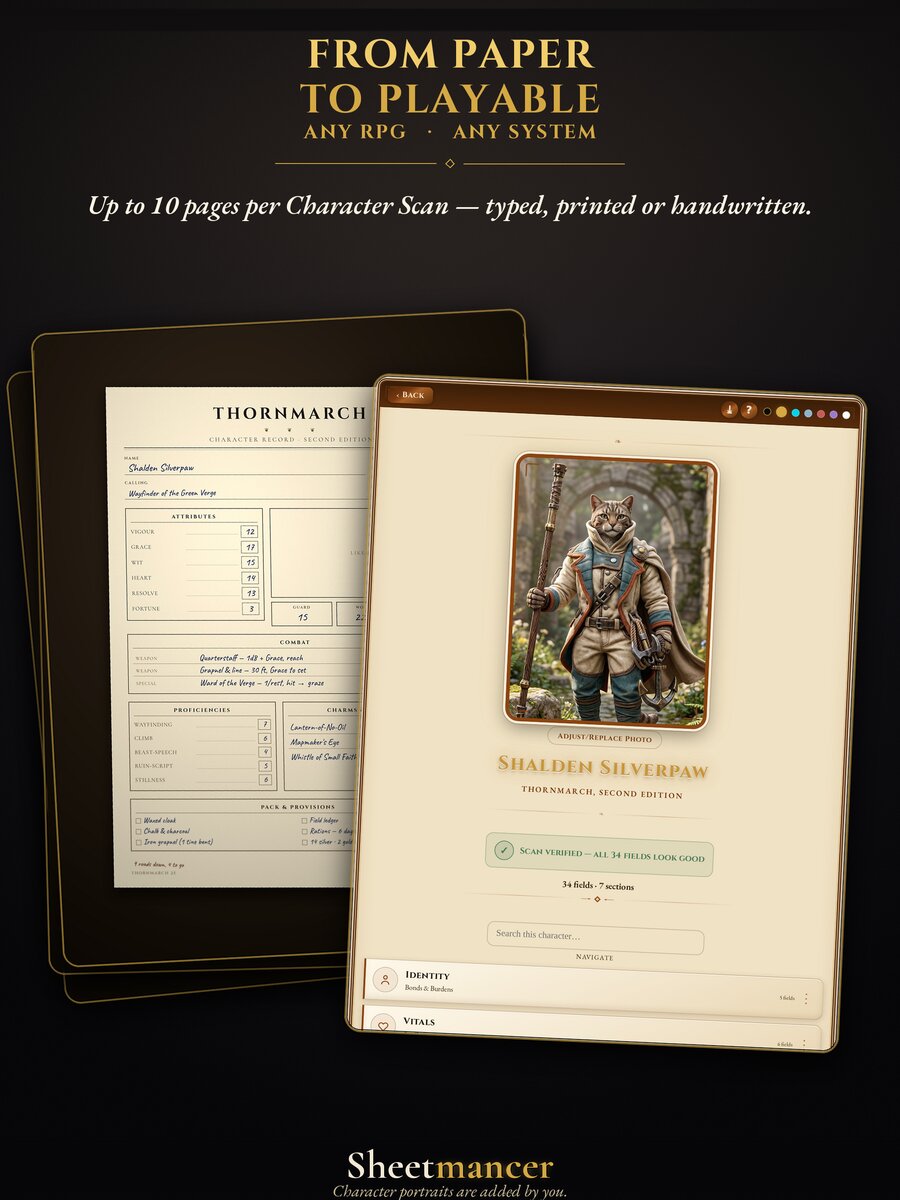
In Sheetmancer, start a new character and add your photos (or pick them from your photo library or files). Scanning needs an internet connection and a free sign-in with Apple or Google, because the reading happens on a server: a machine-vision model reads the text on your pages and places it into editable fields. It only reads what is on your paper. It does not invent stats, rules or backstory.
A dense, multi-page character takes a couple of minutes, not a couple of seconds. Ten crowded pages is real work.
Step 4: Check it, then make it yours
Treat the result like a photocopy: glance over it and fix anything the reader got wrong. Messy handwriting produces mistakes, so expect to correct a field or two. Every field can be edited by hand, and you can rename or reorder sections, add gear, log XP and level up.
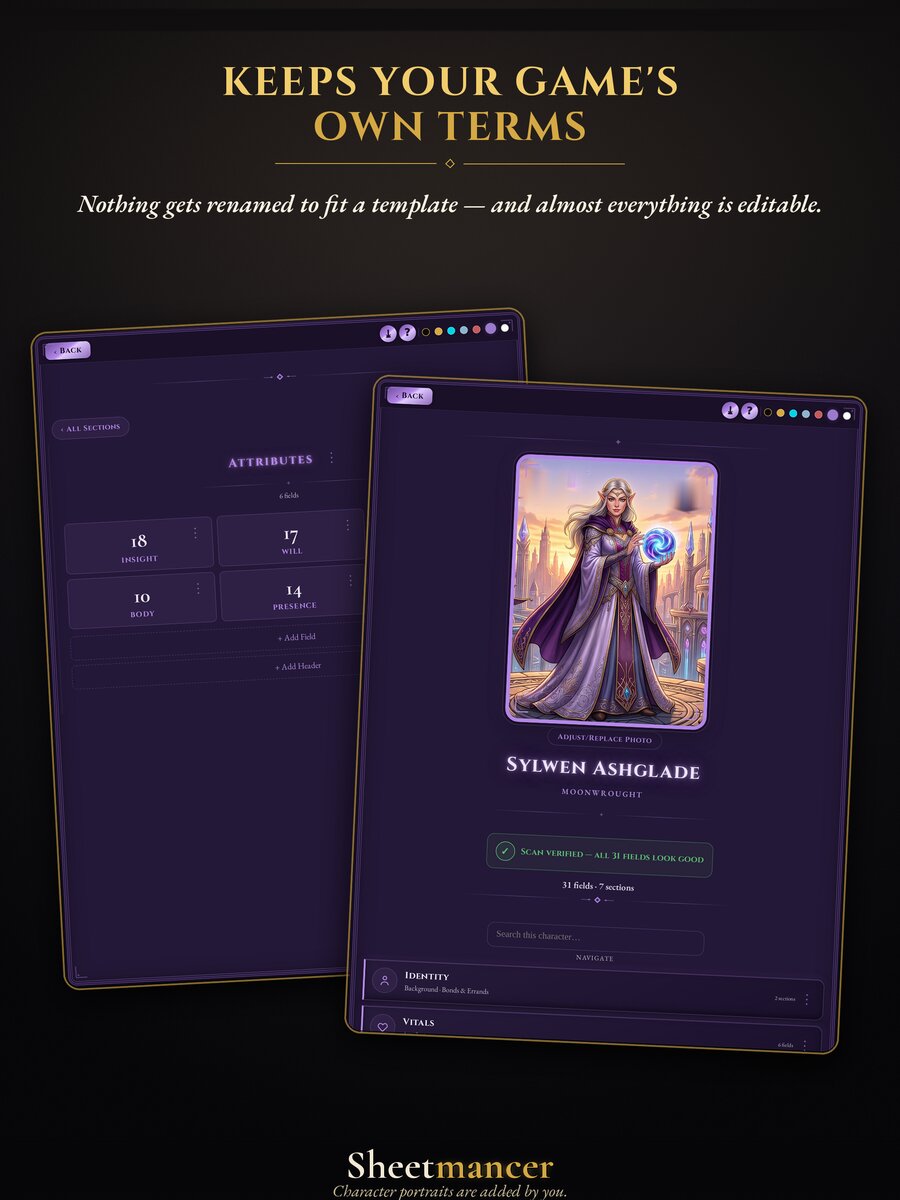
Your game's own words stay as they are. Sheetmancer reads the character in front of it instead of forcing a template, so Hull Integrity stays Hull Integrity and Sanity stays Sanity. That is why it works for fantasy, sci-fi, horror, superhero, western and homebrew games alike.
Step 5: Keep a copy you control
- Export a print-ready PDF for your table or your GM.
- Back up to a file you keep, so your characters never depend on one phone.
- Sign in to sync across your devices if you play on a phone and a tablet.
- Keep the paper. It is your original. The digital copy is there so you never lose it.
Questions players ask
Will it work for my game?
If your character is on paper, it can be read. Sheetmancer does not need to know your ruleset, so it handles small-press games, older editions and homebrew the same way it handles the big names.
Can it read my handwriting?
Usually, yes. Clear handwriting reads well; very faint pencil or crowded margins are where mistakes come from. Step 2 helps most here.
Do I need internet?
Only to scan. Viewing and editing your saved characters, the journal and the Dice Library all work offline.
What does it cost?
Sheetmancer is $9.99, one time, with no ads and no subscription. That includes three Character Scans of up to 10 pages each. Extra scans are a one-time buy too, singly or in a five-pack.
Can it scan the whole party at once?
No. One scan is one character, so each player scans their own.
Try it with your own character
Your whole character, not just the sheet, in one editable Character Hub.
Sheetmancer is a universal tool for tabletop roleplaying games and is not affiliated with, or endorsed by, any game publisher.